

All features
All hours worked, collected and ready
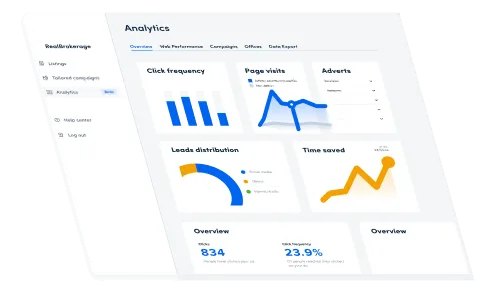
With Operativo's time tracking, all hours worked are gathered automatically from the time clock, a complete time tracking system where regular hours, unsocial-hours pay for evenings, nights and weekends, and overtime are all calculated with no manual counting. You get a clear, accurate timesheet for every employee, ready to use as the basis for payroll. With time tracking built right into the app you leave behind loose notes, spreadsheets and time-consuming calculations, work hours are recorded continuously and add up correctly every time. Whether you run a restaurant, café, shop or any other business, you keep full control of work hours in real time.
Accurate time, without manual work
-
Automatic collection from the time clock:
Every clock-in and clock-out is recorded and gathered straight into the time report, no manual entries needed. -
Unsocial-hours pay and overtime calculated automatically:
The system automatically identifies regular hours, unsocial-hours pay and overtime based on scheduled shifts and collective-agreement rules. -
Overview by employee and period: See clearly how many hours each person has worked during a day, week or month, simple and easy to grasp.
Connected to the schedule and payroll data
Time tracking is a natural part of the Operativo whole. It pulls data directly from the schedule and the time clock, compares planned against actual time and passes the data on to your payroll data, fully automatically. The result is accurate payroll data that you can export straight to your payroll software with no double work.
How it works, automatic from clock-in
Time tracking in Operativo is built on your staff's clock-ins and clock-outs. As soon as a shift ends, the time is recorded and calculated, you don't have to do a thing yourself. Here's how it works:
-
Time is gathered from the time clock:
Every clock-in and clock-out flows automatically into the time report, hours worked are recorded continuously with no manual entry. -
Unsocial hours are counted per evening, night and weekend:
The system automatically allocates unsocial-hours pay based on when shifts fall, evening, night and weekend, according to the rules you set. -
Overtime is calculated automatically:
Time beyond scheduled hours is flagged as overtime right away, so nothing is missed before the payroll run. -
A payroll-ready basis: All regular hours, unsocial-hours pay and overtime are gathered into a finished timesheet, ready to export to your payroll software.
Time tracking for every kind of business
Operativo's time tracking suits any business where staff work by the hour. Restaurants and cafés capture service hours with unsocial-hours pay and overtime, while shops, warehouses, care and hotels report hours worked for shifts around the clock, all in the same time report, linked to the schedule and payroll data.