
Share this page
What is Operativo's staff app and what can staff do in it?
Operativo's staff app is the employee app for iOS and Android. In it, staff see their schedule, pick up open shifts, request shift swaps, set availability, report absence, download payslips as PDF and open documents. Staff can also clock in and out on their phone. The manager plans the schedule and approves open shifts in the same system.
The manager works on the web and staff use the app. When the schedule changes, staff always see the latest version on their phone. Download the app here:
What staff can do in the app
Staff have their schedule, shifts and pay in one place on their phone. In the app they can:
-
See the schedule:
Shifts show up in the app, and staff always see the latest version of the schedule. -
Pick up open shifts:
Open shifts posted by the manager can be taken in the app. The shift is booked once the manager has approved it. -
Swap shifts:
With Begär byte (request swap) an employee proposes a swap with a colleague and follows the request in the app. -
Set availability and absence:
Staff report when they can work and enter absence in the app. -
Read payslips:
Payslips are in the app and can be downloaded as PDF. -
Open documents:
Documents are in the app, so staff have them on their phone. -
Clock in and out:
The time clock works on the phone, with ID number and PIN.
The screenshots below show a demo company with made-up names, in the app's Swedish interface.
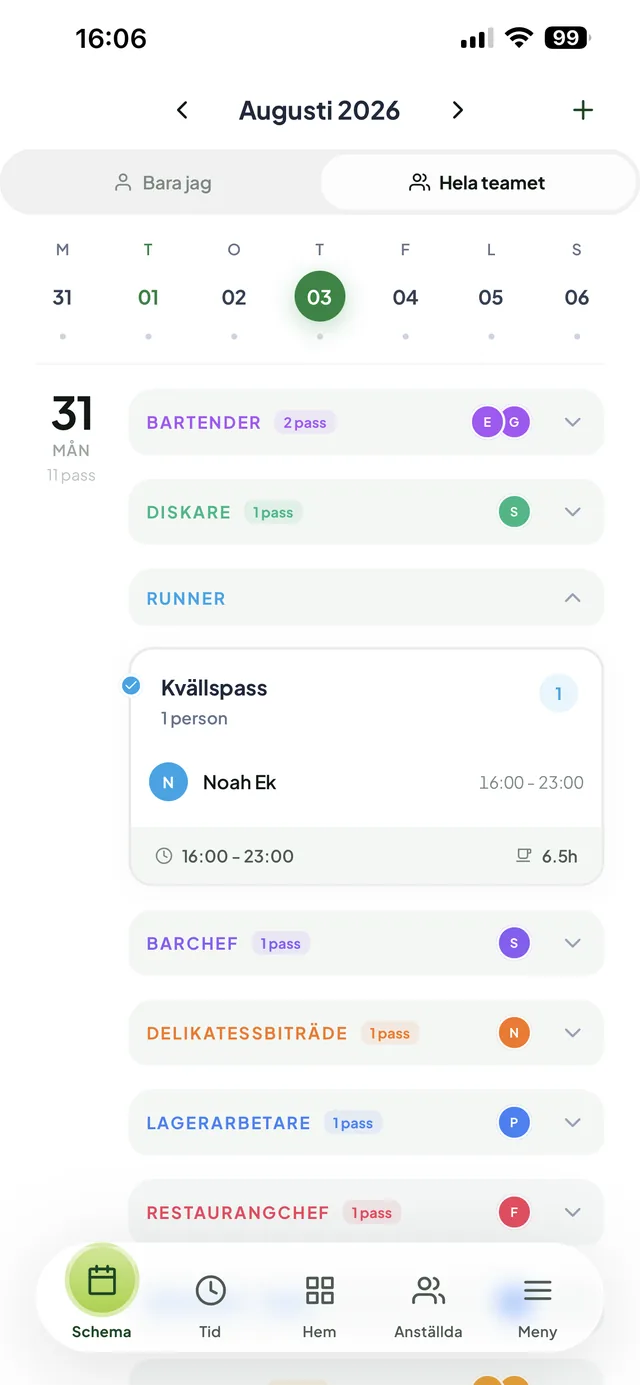
The schedule
The day's shifts by role, with names and times.
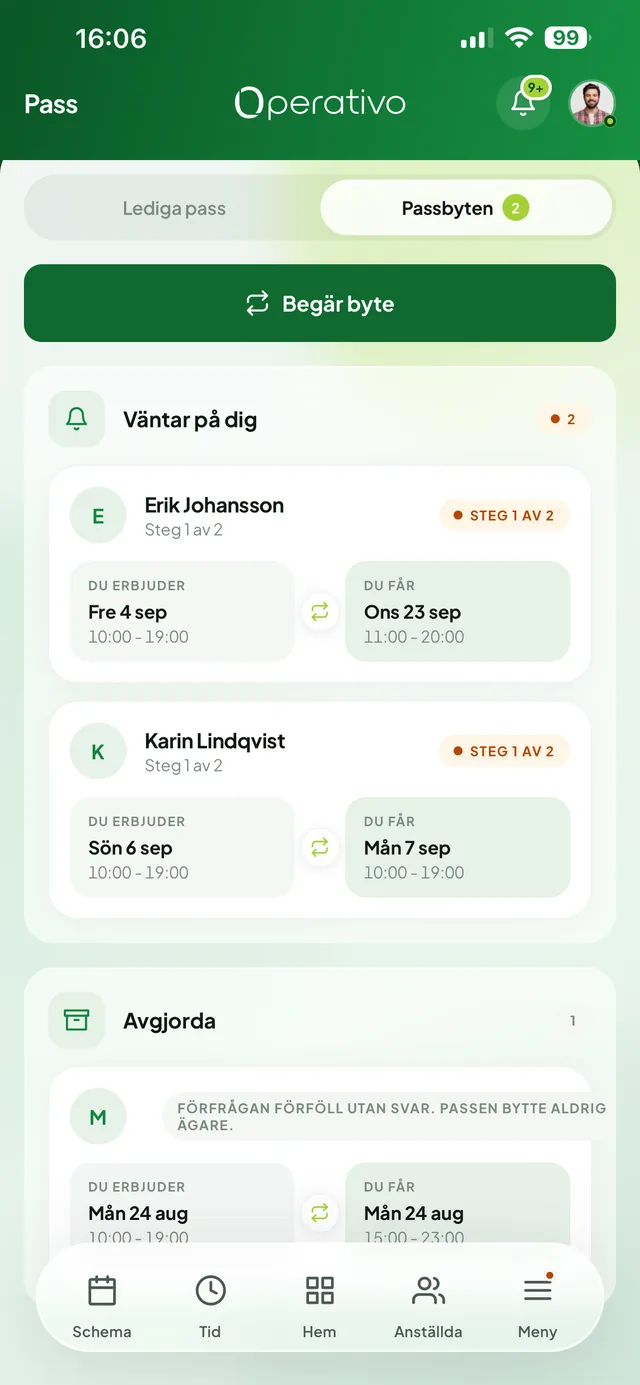
Shift swaps
Request a swap and see which shift you give, which you get and which swaps are waiting for you.
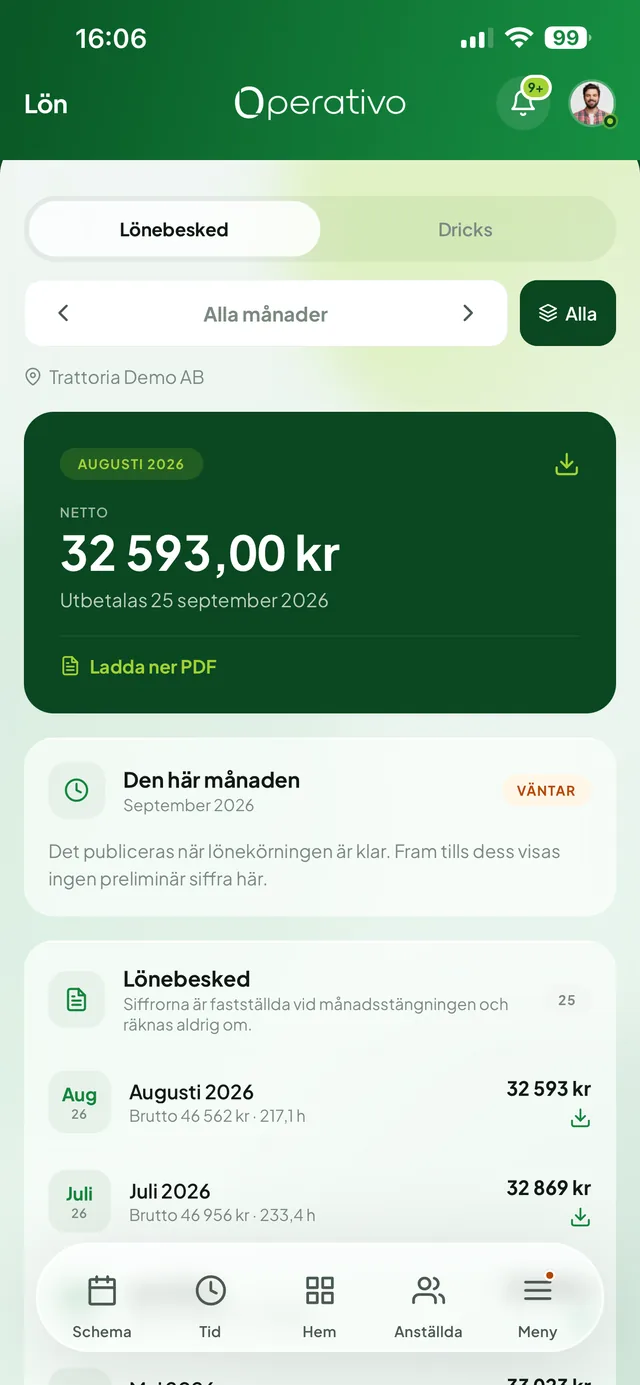
Payslips
Net pay, payment date and earlier months, with the payslip as PDF.
What the manager sees
The manager works on the web in the same system that staff use in the app.
-
Schedule and open shifts:
The manager builds the schedule with scheduling in Operativo, posts open shifts and approves them before they are booked. -
Who is on site:
With the digital time clock the manager sees in real time who has clocked in. -
Time against schedule:
In time tracking with OB and overtime, worked hours are compared with the schedule, and unsocial hours pay (OB) and overtime are calculated from the OB rules you have set. -
Pay:
Payroll data covers gross pay, OB, overtime, holiday pay, preliminary tax and net pay, and can be exported in one click. Staff see their payslips in the app.
Operativo at a glance
From SEK 699 per month excl. VAT, no setup fee
Web, plus apps for iOS and Android
Data is stored in the EU, the database is in Stockholm
Swedish support
Frequently asked questions about the staff app
Get started with Operativo and the staff app
Plan the schedule on the web and let staff see their shifts, swap shifts and read payslips in the app.